Another update today guys. I'm not sure what they are going to 'fix' this time. I'm kinda apprehensive to update the game. I'll share what I find after I updated it. However, the download is going very very slow.
Doesn't look like much got updated, they said 'Fixing friends disappearing issue', but my friends are still not around :(
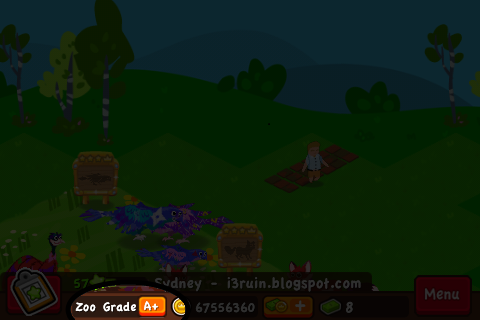
However, there is a pretty good performance improvement. The game is smoother when you pan around in your Zoo. When at other peoples zoo, the game is also smoother.
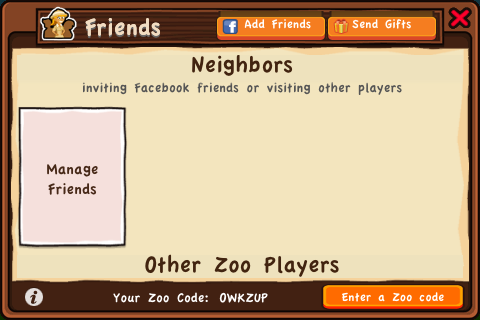
One thing they added is the ability to 'send gifts' while out at another zoo. Before this update, when you went to a neighboring zoo, the 'find friends' and 'send gifts' button in the top right of the 'friends' screen would disappear, but now it's always there. This is very helpful for me as sometimes when I can get my friends list to appear by going to a few neighbor's zoo. When my friends list loaded up, I would have to go back to my own zoo, which would crash, then I can't send gifts that way.
 |
| Ability to 'Send Gifts' while out at another zoo. |
I really want to see what that 'Manage friends' do when my Neighbor's List finally loads up.
Another feature that is often overlooked, the 'Matchmaking' button now actually works. Previously, if you left it on or off, you get the same results. But now, if you leave if in the 'off' position, when you go into your friends list and look for 'other zoo players', you'll only see people who have visited you, you will not get a list of players to visit.
--Update--
Overall, I really do like this update, the game is smoother and most of the game elements are working. My friends list now load most of the time, it's better than 10%, and I also can actually scroll down my friends list and also send gifts.
One of the big bugs they didn't fix is my ability to send multiple gifts to people. Not sure why but crashing after I send gifts to people seem to re-set some counter so I'm able to gifts people again when I log in and my friends list show up.
I still can't use the 'Manage friends' feature because I crash everytime I get close to the end of my friends list. I have over 300 (maybe 400) friends on my list and when I get close to the bottom, my game crashes. I'll do some sort of post when I can finally get to that feature and use it.